Key takeaways
- RS-232 is a point-to-point link; RS-485 is a multipoint bus where many nodes share one pair of wires.
- RS-485 uses balanced differential signaling over twisted pair, which rejects common-mode noise on long runs.
- TI lists RS-485 at up to 32 unit loads, 10 Mbps at 40 feet, and 4,000 feet at 100 kbps.
- RS-485 defines only the electrical layer — Modbus and other protocols are specified separately.
- The two are not interchangeable on the same pins; a converter or a multiprotocol transceiver is needed to join them.
RS-232 connects one device to one other device over a short cable. RS-485 connects many devices on one twisted pair and runs much farther, which is why it dominates on factory floors. If a machine has a serial port, the label on the module or the manual will tell you which one it is — and the answer decides the cable, the converter and the replacement part you need.
This guide compares the two the way a maintenance or purchasing engineer meets them: what each one is, how far and how fast it goes, how it is wired, where Modbus fits, and what to check before you order a replacement serial module or adapter.
The short answer: point-to-point vs multipoint
Texas Instruments describes RS-232 as prevalent in low-cost, low-speed, point-to-point industrial applications. RS-485, by contrast, allows a multipoint network where several nodes talk over the same bus, which reduces cable cost. RS-422 sits between them: it is similar to RS-485 but allows only one driver with multiple receivers.
The signaling is different too. RS-232 uses large positive and negative voltage swings to keep a good signal-to-noise ratio — TI notes that the receiver thresholds are defined at ±3 V. RS-485 is a balanced, differential interface: TI explains that differential signaling reduces emissions and rejects common-mode noise, which increases immunity in noisy plants.
Distance, speed and number of devices
These are the figures TI lists for the RS-485 standard (TIA/EIA-485-A) in its RS-485 Design Guide:
- Balanced interface, multipoint operation
- Bus common-mode range of –7 V to +12 V
- Up to 32 unit loads on one bus
- 10 Mbps maximum data rate (at 40 feet)
- 4,000 feet maximum cable length (at 100 kbps)
Speed and length trade against each other. TI gives a rule of thumb — the cable length in meters times the data rate in bits per second should stay below 107 — and adds that the rule is conservative compared with what modern cable achieves. TI also notes that current transceivers can run well above the 10 Mbps the standard recommends.
For RS-232, TI states that the standard asks for signaling rates up to 20 kbps, while modern devices can reach about 1 Mbps; the limit in practice is the capacitive load of the cable. Sun Microsystems’ serial-board documentation gives a rule of thumb of no more than 2,500 pF total cable capacitance, connectors included, for baud rates up to 57,600 — so the usable length depends on the cable’s pF per foot. With a 50 pF/ft cable and 100 pF connectors, that works out to about 46 feet.
Wiring: twisted pair, 2-wire vs 4-wire, termination
Cable
TI explains that RS-485 benefits from twisted-pair cable because outside noise couples equally into both wires and appears as common-mode noise, which the receiver rejects. The industrial cable it describes is unshielded twisted pair with a characteristic impedance of 120 Ω and 22–24 AWG conductors. For RS-232, the Sun documentation recommends shielded, low-capacitance cable designed for serial data.
2-wire (half duplex) vs 4-wire (full duplex)
According to TI, RS-485 nodes should be wired as a daisy chain (also called a party line or bus), not a star. A half-duplex bus uses one signal pair, so a node either sends or receives at a time. A full-duplex link uses two pairs — four wires — with separate transmit and receive lines. In both cases only one driver may be active on a pair at a time; two drivers at once cause bus contention, which the software has to prevent.
Termination and stubs
Because the standard recommends 120 Ω cable, TI says the trunk is commonly terminated with a 120 Ω resistor at each end of the cable, matched to the cable’s characteristic impedance — not at every node. The short branches (stubs) from the trunk to each device should be as short as possible to avoid reflections. A missing, doubled or misplaced terminator is one of the first things to check when an RS-485 line that used to work starts throwing errors.
Where Modbus fits
Searches for “RS-485 vs Modbus” mix two different layers. TI is explicit that RS-485 is an electrical-only standard: it defines the drivers and receivers, not the messages. Modbus is a protocol. The Modbus Organization publishes the application protocol (the function codes) as one specification, a separate Serial Line Protocol and Implementation Guide for Modbus over serial links, and a separate guide for Modbus TCP/IP over Ethernet.
So a device can speak Modbus over RS-485, Modbus over RS-232, or Modbus over TCP/IP — and an RS-485 port can just as well carry a vendor’s own protocol. When you replace a part, match both: the physical interface (RS-232, RS-422 or RS-485) and the protocol and settings the controller expects.
Connecting RS-232 equipment to an RS-485 network
The two are not compatible pin for pin. TI describes two common cases: a legacy RS-232 port that has to be converted to RS-485 to reach a long distance, and an RS-485 port that has to be switched to RS-232 for diagnostics or firmware upgrades. Multiprotocol transceivers can be configured for one interface or the other, and parts that run both at once can act as a translator to extend RS-232 over an RS-485 run.
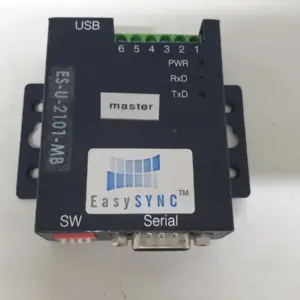
In practice this means a converter or gateway sits between them: an RS-232 to RS-485 adapter, a USB serial adapter with an RS-485 mode, or an Ethernet serial server. Check which interfaces and duplex modes the converter supports before you wire it in.
Before you order a replacement serial module or adapter
- Read the full part number and revision from the label — see how to find your part number.
- Confirm the interface: RS-232, RS-422 or RS-485, and for RS-485 whether the device is wired 2-wire or 4-wire.
- Note the protocol and settings the controller uses (for example Modbus RTU), the baud rate and the station address.
- Check the connector type and pinout against the manual — they vary by manufacturer.
- Note whether termination is built into the device or set by a switch or jumper, and where the bus ends are.
Browse I/O and communication modules and cables and harnesses, check what each listing’s condition means in the condition guide, or send us the part number through Request a Part if you don’t see it listed.
Frequently asked questions
Is RS-485 better than RS-232?
For long runs, noisy plants and several devices on one line, yes — RS-485 is differential and multipoint. For a short link between two devices, RS-232 is simple and common, and many machines still use it for service ports.
How far can RS-485 go?
TI lists 4,000 feet at 100 kbps. Higher data rates shorten the usable length — at 10 Mbps the figure is 40 feet.
Is RS-485 the same as Modbus?
No. RS-485 defines the electrical signals only; Modbus is a protocol that can run over RS-485, RS-232 or TCP/IP.
Where do the 120 Ω termination resistors go?
At the two ends of the RS-485 trunk, matched to the cable's impedance — TI describes one resistor at each cable end, not one per device.
Can I plug an RS-232 device into an RS-485 port?
Not directly. You need a converter or a transceiver that can work in both modes, set to the right interface.
What is the difference between RS-422 and RS-485?
Both are differential. TI notes that RS-422 allows one driver with multiple receivers, while RS-485 allows several drivers sharing the same bus.
Sources
- Texas Instruments — The RS-485 Design Guide (SLLA272D), section 2: Standard and Features (opens in a new tab)
- Texas Instruments — The RS-485 Design Guide (SLLA272D), section 3: Network Topology (opens in a new tab)
- Texas Instruments — The RS-485 Design Guide (SLLA272D), section 5: Cable Type (opens in a new tab)
- Texas Instruments — The RS-485 Design Guide (SLLA272D), section 6: Bus Termination and Stub Length (opens in a new tab)
- Texas Instruments — The RS-485 Design Guide (SLLA272D), section 9: Data Rate Versus Bus Length (opens in a new tab)
- Texas Instruments — Multiprotocol transceivers application note (SLLA635), section 1: Introduction (opens in a new tab)
- Texas Instruments — Multiprotocol transceivers application note (SLLA635), section 2: Application Use-Case (opens in a new tab)
- Sun Microsystems — SunSAI/P User's Guide (806-4206-11), chapter 3: EIA-232 Connectors and Cables (opens in a new tab)
- Modbus Organization — Specifications and Implementation Guides (opens in a new tab)